FAQs
Your Questions, Answered – Start with Confidence
Thinking about joining the Navigator program? Here are answers to the most common questions preschool owners and directors ask before they dive in.

Clarity. Momentum. Insight. Growth.
How can I get information or pricing on Navigator?
You’ll get full details—including pricing—once you watch the demo. The demo was designed to show you exactly how Navigator works, what’s included, and why it’s such a game-changer for preschool leaders.
Is the Navigator program suitable if I’m not very tech-savvy?
Absolutely! Navigator was designed with simplicity in mind. We walk you through everything step-by-step so you’ll feel confident even if technology isn’t your strong suit.
Can I customize the systems to fit my preschool's specific needs?
Yes! Every system inside Navigator is fully customizable. You’ll be able to tailor the setup so it works seamlessly for your preschool.
How will Navigator actually help me save time?
Navigator shows you exactly how to organize and streamline your admin tasks inside Notion—so you reduce paperwork, cut back on repetitive tasks, and free up more time to focus on your team and kids.
What makes Navigator different from other programs?
Navigator is the only program created specifically for preschool directors and owners. It combines a ready-to-use Notion template with tailored training for ECE challenges—something you won’t find in generic business or productivity courses.
How time-consuming is the program?
Navigator was designed for busy preschool leaders. You can go at your own pace and start seeing results as you apply each step—no cramming required.
Is there a community aspect?
Yes! The Navigator Membership includes access to our private Facebook community where preschool leaders share ideas, ask questions, and support each other. Your purchase includes 3 months of access, and you can stay connected long-term for $35/month.
What kind of support do I get?
Your Navigator purchase includes 3 months of membership, which gives you access to our private Navigator Membership Community and all the instructional videos. If you want ongoing support beyond 3 months, you can stay in the membership for $35/month. You’ll also have the option of 1:1 support as a pay-as-you-go add-on.
Are there ongoing costs?
When you join Navigator, you’ll always keep your template—it’s your forever system.
Your purchase also includes 3 months of Navigator Membership (instructional videos, updates, and our private FB Membership Community). After that, you can:
-Stay in the membership for $35/month to keep access to updates and support, or
Step away and still keep your customized system forever.
Note: Navigator runs on Notion, which requires a separate $25/month subscription.
How quickly can I see results?
You can expect to see improvements in organization and efficiency within the first week of implementing. The more you use Navigator, the more time and clarity you gain back.
Will I still need other programs once I use Navigator?
In most cases, Navigator can organize your entire preschool—it becomes your all-in-one hub for operations, staff, and admin. The only other tools I recommend are for accounting (like QuickBooks Online or Xero) and payroll/HR (like Gusto).
The good news? QuickBooks and Xero integrate with Navigator, so even those pieces connect smoothly.
Does the program offer any updates as new tools and practices emerge?
Updates and new trainings are part of the Navigator Membership. Your purchase includes 3 months of membership, and if you stay subscribed, you’ll always have access to the latest videos and updates. If you decide not to continue, you’ll still keep your Navigator system forever, but won’t receive new updates.
Can this help me manage my preschool without hiring extra staff?
Yes—Navigator equips you with systems to maximize the team you already have. Many leaders find they don’t need to add more staff because their operations run so much more smoothly.
Invest in the success of your ECE program
At Level Up ECE, we specialize in helping programs run smoothly through effective systems and hands-on learning. Our goal is simple: to help you feel less overwhelmed, more organized, and confident in leading your program forward.
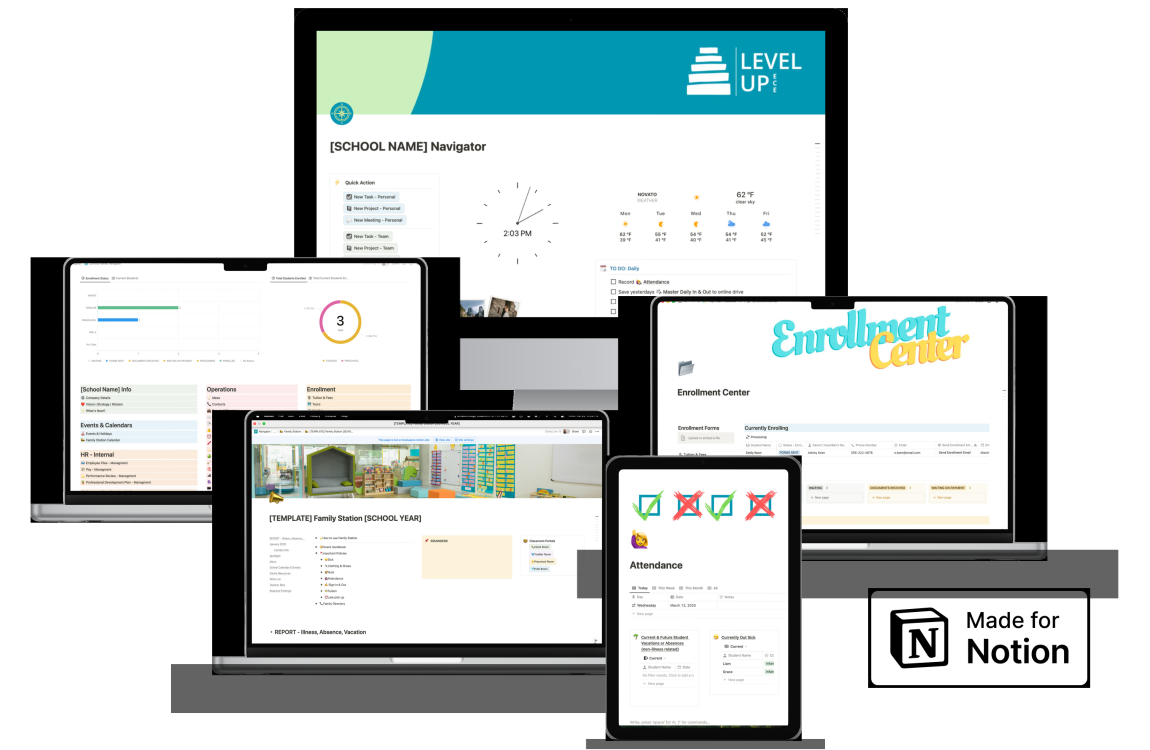

I’m a former preschool director turned systems expert and the creator of the Navigator program. Welcome to my corner of the ECE world! Come on in, make yourself comfortable, and let's get started on making your preschool admin life easier! - Megan


Quick links
© Level Up ECE. 2026. All Rights Reserved.